Product · Field
Hands-free inspection and calibration. Wearable enabled.
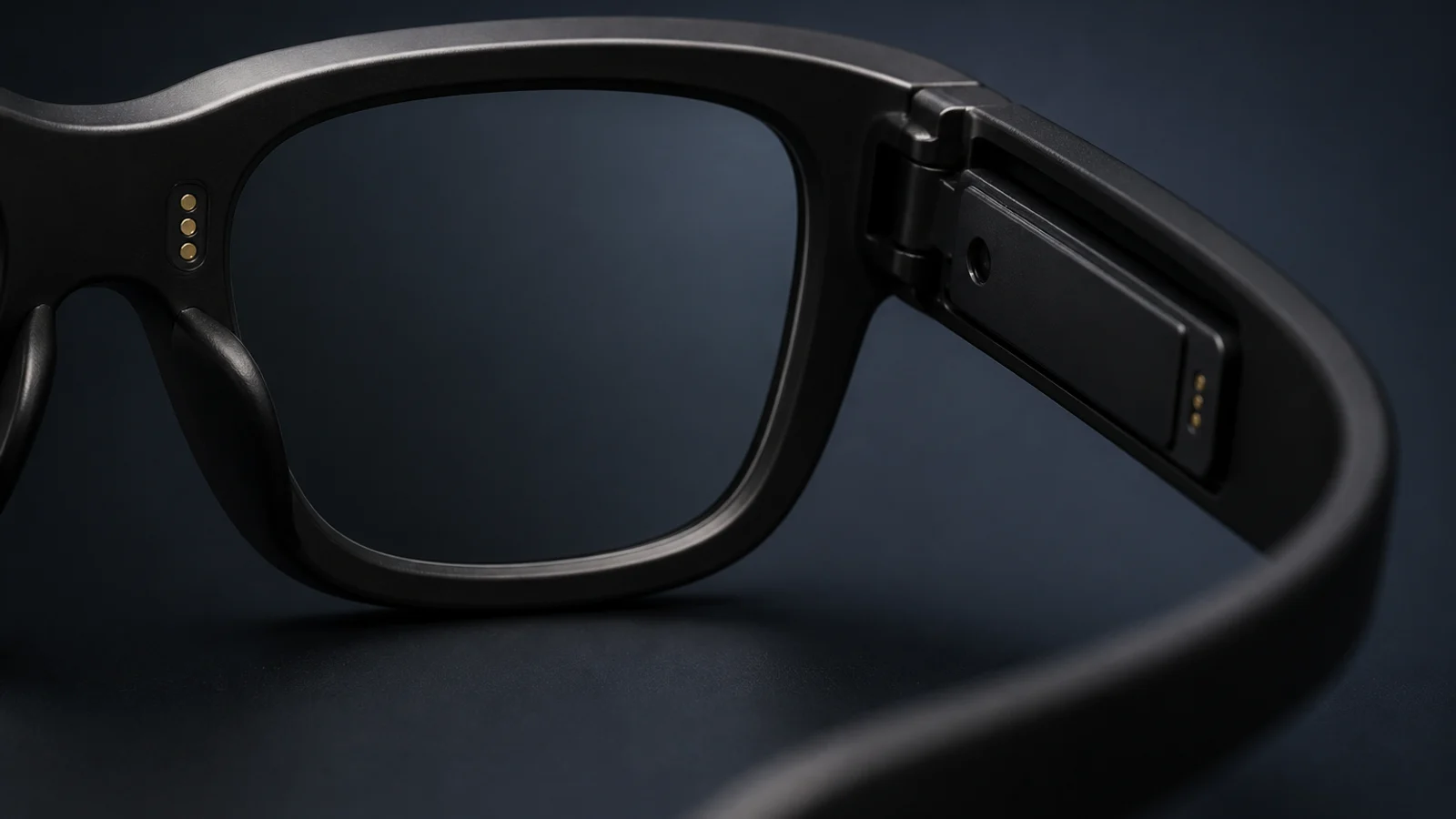
MaxIron Nova puts the work in the line of sight. Readings are captured at the asset and calibration datasheets are worked point by point, with the next prompt on the lens and both hands on the job. A smart ring or band controls the decisions. Voice is optional. Every confirmed value is written straight to Maximo.
Through the lens
This is what the technician sees
Not a phone held at arm length. The reading is projected into the corner of vision, over the gauge it came from, while both hands stay where the work is.
Meter reading
4.27bar
Meter reading
4.27bar
The problem
What a round looks like today
Not a vendor caricature. The pattern we see on real plants, described to us by the people who run them.
Three people to move one number
A routine calibration can occupy a small crew. One carries the ladder, one holds it, one takes the measurement, and someone writes it down. The value travels further on paper than the technician does on foot.
Written down, then typed in
Every value captured on paper is captured twice: once at the instrument and again at a keyboard. The second capture is where transposed digits, wrong assets and missing entries live.
A datasheet you cannot hold
During a calibration both hands are busy with the pump, the test leads and the adjustment screw. The procedure that tells you which point comes next is on paper, on a bench, or in somebody else's memory.
Two jobs on the same round
Inspection records condition; calibration certifies accuracy
A technician treats the two as separate work with separate evidence, and Nova supports each on its own terms.
Inspection
Reading and recording what an asset is doing.
Calibration
Proving and restoring the accuracy of the instrument doing the measuring.
The question it answers
What is this asset doing right now?
Can the instrument that measures it still be trusted?
What gets captured
One meter, one value, one timestamp. A number, a total, or a condition code.
Input and output pairs at every point across the instrument range, before and after adjustment.
Shape of the job
Seconds at the asset. Repeated across a round of many assets.
A structured procedure against a datasheet, with a reference standard applied by hand.
What it proves
The asset was observed, and the observation is on its record.
How far the instrument had drifted, and that it was fit to keep measuring when you left it.
Where hands-free earns most
Volume. Hundreds of readings a month with no transcription step behind any of them.
Both hands are on the pump, the leads and the adjustment screw. The prompt has to be somewhere other than a screen you would have to hold.
The inspection loop
Five steps, at every reading
Taking a reading is a short job done hundreds of times a month. Nova makes it the same short job every time.
- 01
Detect
The assistant reads the meter at the asset, exactly as the technician sees it.
- 02
Propose
The value appears on the lens with the asset and work order it belongs to.
- 03
Confirm
The technician accepts, rejects or retakes from the ring or band. Nothing moves without them.
- 04
Check
The value is set against what this asset has read before.
- 05
Commit
The meter reading lands on the asset in Maximo. Once, at the meter.
Five steps. Two confirmations. No paper. The value at the meter is the value in Maximo, by design, every time.
Inspection, on the lens
The record travels to the technician at the asset
The technician looks at the meter. The reading is proposed on the lens with the work order it belongs to. A smart ring or band accepts it, rejects it or asks for a retake. No unlocking a phone, no finding the right asset in a list, no writing anything down to type up later.
If the value is wrong the technician says so and it is recaptured. Accept is the only path to Maximo.
Inspection reading
Meter reading
84.7 Celsius
Work order 58291
The calibration run
A procedure, not a reading
A calibration walks the instrument across its working range, one point at a time, and records how far it strayed before you touched it and where it stood when you left.
- 01
Setpoint
The datasheet names the next point and the nominal input it expects. The technician never has to remember the sequence.
- 02
Apply
A known input goes on from the reference standard. Both hands are on the pump and the leads, which is exactly why the prompt is on the lens.
- 03
As found
The output the instrument gives before anyone adjusts it. This is the number that proves whether it has drifted since last time.
- 04
Adjust
If the deviation is outside what this instrument is allowed, it gets adjusted and the point runs again.
- 05
As left
The output after adjustment. This is the number that says the instrument was fit to keep measuring when the technician walked away.
- 06
Next point
On across the span until every point on every function of the datasheet is done.
Every one of those numbers used to be written on a datasheet and typed up afterwards, hours after the technician left the instrument. Nova records each point at the point.
Calibration, on the lens
Look at where both hands already are
One hand on the pump, one on the leads. There is no hand left for a datasheet, which is the whole reason the point being worked, and the input it expects, belong in the corner of vision instead of on a screen someone has to hold.
Calibration point
Point 3 of 5
Apply nominal 50 percent of span
11.94 mA
As found
Where the time goes
Nova removes the handling around the calibration, not the calibration
A five point run against a reference standard takes as long as metrology takes, and no software changes that. What Nova removes is everything that happened to the numbers afterwards: the transcription, the second entry and the reconciliation.
Constant with or without Nova
Time on the tools
- Walking the route between assets
- Getting in and out of controlled areas
- Gaining access behind guards and cabinet doors
- Setting up the reference standard and the test leads
- Running every point across the range of the instrument
- Making the adjustment, then proving it held
Gone, on every job, every day
Time on the paperwork tail
- Copying the value onto a round sheet or a datasheet
- Carrying paper back without losing or smudging it
- Finding the right work order again hours later
- Typing every reading into Maximo at a desk
- Typing every calibration point in, in the right order
- Chasing the one figure nobody can read
A busy shift of seventy-odd readings and three calibration datasheets used to generate the better part of an afternoon of write-up, done from memory and paper, hours after the technician left the asset.
That afternoon no longer exists. The record was finished at the instrument.
Timings above describe an illustrative shift on a dense utilities round, not a benchmark. Your route length, access controls and datasheet depth set your own numbers, which is exactly what we measure in a first rollout.
Calibration point
Point 4 of 5
Apply nominal 75 percent of span, then record as found
16.04 mA
Within spec
Calibration, on the lens
The datasheet moves with the technician
During a calibration the technician has a hand pump in one hand and test leads in the other. Nova puts the next point, the nominal input it expects and the value just recorded on the lens, and takes accept or next from a smart ring or band without either hand leaving the work.
As-found values go down before anything is touched. If an adjustment is needed the point runs again and the as-left value goes down after. Both land on the datasheet in Maximo, at the instrument, in the right order.
The interaction model
The display is the interface.
Nova is a wearable workspace for inspection and calibration in Maximo. The glasses carry the work order, prompt, value and status in the line of sight. A smart ring or smart band controls navigation and decisions.
Voice is optional
Voice can help in suitable conditions. It is not the primary interface and the core workflow never depends on it. In noisy areas, the display and tactile control carry the whole job. No earpiece is required.
-
01
See
The work stays in view
The lens shows the current asset, the next instruction, the proposed reading and the result. The technician does not move between the instrument and a handheld screen.
-
02
Control
Decisions happen at the finger
A smart ring or smart band handles accept, retake, reject, next and back. The controls are small, deliberate and usable while both hands remain on the job.
-
03
Record
Confirmation is the write boundary
Nova proposes. The technician decides. Only a confirmed reading or calibration value moves to Maximo, against the work order and point it belongs to.
Existing instruments
Analogue dials, digital displays and handheld test equipment. No sensor retrofit is required.
Offline continuity
Work continues through signal loss, with pending state visible until the confirmed record reaches Maximo.
Enterprise access
Customer identity, encrypted device data and MDM-managed deployment. No credentials pass through MaxIron.
One record
Maximo remains the system of record. There is no second store of field values to reconcile later.
Best suited to high-frequency meter rounds and structured calibration work in regulated manufacturing, utilities, oil and gas, and transport.
Honest about the limits
Where hands-free stops, and we say so
A product page that only tells you what works is a brochure. These are the limits, stated plainly, because they are part of how the product earns trust on a real plant.
Two-person jobs stay two-person jobs
A reading at the top of a ladder still needs someone footing the ladder. Hands-free removes the clipboard and the typing, not your health and safety rules.
Noisy plant changes the interaction, not the record
Voice is optional. In noisy areas, the technician uses the lens display and a ring or band for every prompt and decision. The record is unchanged.
The assistant proposes. The technician decides.
Nothing is written to Maximo without a human confirming it. Every reading, every calibration value, every status change is a technician decision, made faster and with better context.
The kit
What the technician carries
-
Smart glasses
The work order, next prompt and proposed value in the line of sight.
-
A smart ring or smart band
Tactile control for accept, retake, next and back without reaching for a screen.
-
The phone they already carry
The secure link to Maximo, in a pocket rather than in a hand.
-
Standard PPE
Nothing about the kit changes what your safety rules require.
What they stopped carrying
- The clipboard
- The paper datasheet
- The barcode scanner
- The end of shift typing session
The backup notebook stays in the pocket. It is there when it is needed. Mostly it is not.
The narrative
One shift, hour by hour
A utilities round of seventy four readings before half past eight, three calibration datasheets after it, one transmitter found out of spec and adjusted, and two instruments that still needed a ladder partner. Tools down at ten past twelve with no write-up waiting.
Read the day in the lifeMaxIron products
MaxIron products that work alongside this
MaxIron Nova, frequently asked questions
- What exactly is MaxIron Nova?
- A display-first wearable workspace for inspection and calibration work in IBM Maximo, built and run by MaxIron. The glasses show the work order, reading or calibration point in the line of sight. A smart ring or smart band controls navigation and decisions. Confirmed values are written to the Maximo work order where the work happens.
- What is the difference between inspection and calibration here?
- An inspection reading records what an asset is doing: one meter, one value, against the asset in Maximo. A calibration is a procedure that tests the measuring instrument itself, point by point across its range, recording the as-found output before adjustment and the as-left output after it. Nova supports both, and handles them differently because they are different jobs.
- How much time does it save?
- Not much at the instrument, and we would not claim otherwise. Walking a route, gaining access, applying a reference standard and running the points across a range take as long as they take. What Nova removes is everything that used to happen to the numbers afterwards: writing them on a sheet, carrying the sheet, finding the work order again, and typing every value in at a desk. On a round of seventy odd readings and a few calibration datasheets that write-up is commonly the better part of an afternoon. That is the part that disappears, on every shift.
- Is this IBM Maximo Mobile?
- No. Nova is MaxIron-built software that works with your IBM Maximo or MAS estate. It sits alongside whatever mobile strategy you run, including the IBM Maximo Mobile rollouts we deliver, and writes to the same work orders, asset records and calibration datasheets.
- What if the meter face is dirty, badly lit or awkward to reach?
- The technician rejects or retakes the proposed value from the ring or band. Voice can be used to correct it where conditions allow. The proposal step exists precisely because real plants have worn dials and bad light. Nothing is written without technician confirmation.
- What if the technician disagrees with a proposed value?
- They reject it or request a retake from the ring or band, and it does not get written. Nova proposes; the technician confirms, corrects or recaptures. The person standing at the instrument is the decision maker on every value.
- What happens when there is no signal on the plant floor?
- The work carries on. Readings and status changes are queued securely on the device with their state visible to the technician, and written to Maximo when connectivity returns. No signal does not mean no record.
- How does the technician control Nova?
- The display in the glasses is the primary interface. A smart ring or smart band handles navigation and decisions such as accept, retake, reject, next and back. Voice is optional. It can help in suitable conditions, but the core workflow never depends on speech because industrial environments are often noisy.
- Does Nova require an earpiece?
- No. Every core prompt, value, status and decision is available through the lens display and the ring or band. Audio can be used where it is useful, but an earpiece is not required and noisy areas do not lose functionality.
- Is this another system we have to reconcile against Maximo?
- No, and this is the point. Nova keeps no store of readings sitting beside Maximo. The work order in Maximo is the record, updated as the work happens. There is nothing to export, import or reconcile afterwards.
Bring three of your meter faces.
The worn one. The awkward one. The one behind the guard. Tell us about your inspection rounds and your calibration datasheets, bring photographs of three of your actual instruments, and we will show you Nova reading them against a live Maximo work order.
Book a Nova session